Introduction: Windows vs Linux in 2026 – A Comprehensive Comparison
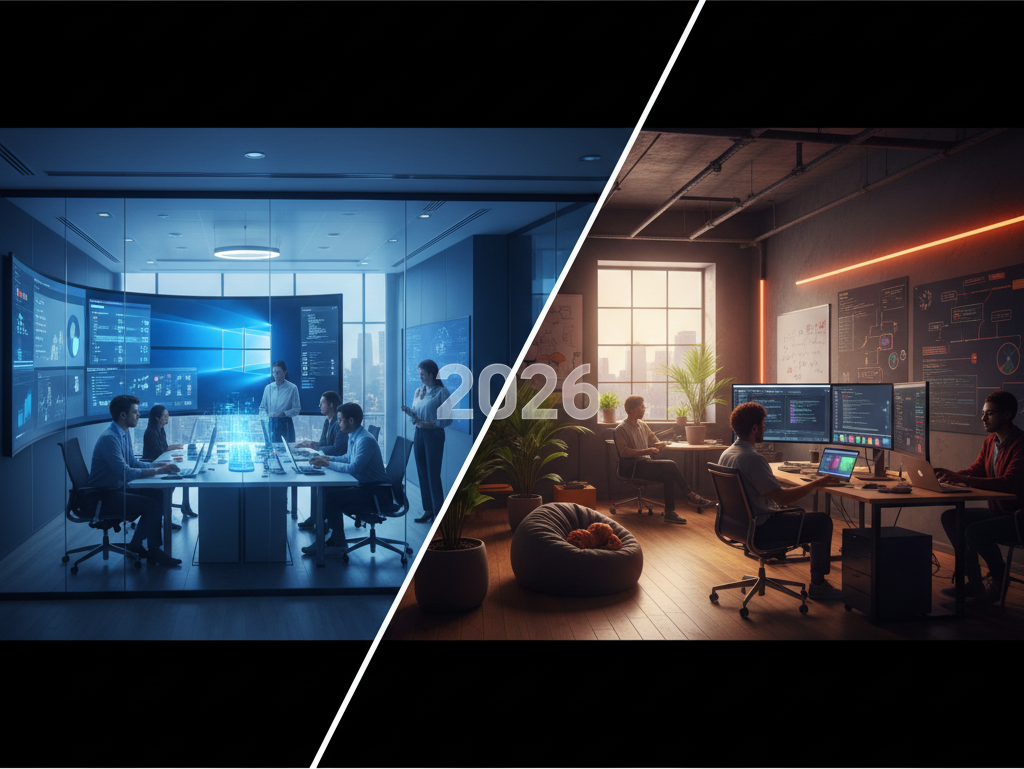
In the dynamic landscape of operating systems, the perennial debate of windows vs linux continues to evolve. As we navigate 2026, both platforms have undergone significant transformations, driven by advancements in artificial intelligence, cloud computing, and user expectations. This article delves deep into a comprehensive comparison, dissecting each OS across critical aspects from user experience to enterprise security, offering clarity for individuals and organizations making pivotal technology decisions in the current year.
The Evolving OS Landscape: A 2026 Snapshot
The operating system environment in 2026 is characterized by unprecedented integration and specialization. Windows, particularly with its latest iterations (Windows 11 and the anticipated features of Windows 12), has leaned heavily into AI-powered experiences, cloud-native functionality, and a seamless ecosystem for both productivity and entertainment. Microsoft’s Copilot AI is deeply embedded, transforming how users interact with their devices, manage files, and create content. Security features have been hardened, and the push for a more unified, subscription-based service model for software and even OS features is more evident than ever.
On the other side, the Linux ecosystem in 2026 showcases unparalleled flexibility and robustness. With major desktop environments like GNOME 46+ and KDE Plasma 6+ offering polished, modern interfaces that rival proprietary systems, Linux is no longer just for developers or server administrators. Its commitment to open-source principles, enhanced security through community auditing, and a thriving developer community have solidified its position as a powerful and adaptable alternative. The advancements in compatibility layers like Proton and WSL have further blurred the lines, making Linux a viable platform for a wider array of users and workloads, especially when considering the choice between windows vs linux.
Why This Comparison Matters More Than Ever for Users and Businesses
The choice of an operating system in 2026 is far more than a preference; it’s a strategic decision with profound implications for productivity, security, cost, and future scalability. For individual users, it dictates the software they can run, their privacy posture, and the overall fluency of their digital life. With the increasing sophistication of cyber threats and the pervasive nature of data collection, understanding the security and privacy models of each OS is paramount. The rise of cloud-native applications and the blurring of lines between desktop and web experiences also mean that factors beyond traditional desktop software matter significantly.
For businesses, the stakes are even higher. Operating system choice impacts Total Cost of Ownership (TCO), IT management overhead, regulatory compliance, and the ability to innovate. The decision between Windows’ established enterprise ecosystem and Linux’s open-source agility can define a company’s technological trajectory for years. As automation, AI, and DevOps become central to business operations, the underlying OS must support these advancements seamlessly. Therefore, a detailed examination of windows vs linux is crucial for making informed decisions that align with both current needs and future strategic goals.
Who Is This Guide For?
This comprehensive guide is designed for a broad audience, encompassing anyone contemplating their operating system choices in 2026. It caters to:
- Individual Users: From casual web browsers and content consumers to power users, gamers, and digital creators looking for the best platform for their daily tasks and hobbies.
- Students and Educators: Those who need reliable, secure, and cost-effective platforms for learning, research, and teaching.
- Developers and Programmers: Professionals and enthusiasts seeking optimal environments for coding, testing, and deploying applications, including those working with containerization and cloud services.
- IT Professionals and System Administrators: Individuals responsible for managing and maintaining IT infrastructure, from desktops to servers, needing insights into security, deployment, and management tools.
- Small to Medium-sized Businesses (SMBs): Decision-makers evaluating the financial, operational, and security implications of their OS choices for their workforce.
- Enterprise Stakeholders: Leaders in larger organizations who require strategic insights into scalability, compliance, and long-term TCO when considering a large-scale deployment of either Windows or Linux.
Whether you’re a seasoned tech enthusiast or a newcomer trying to navigate the complex world of operating systems, this guide aims to provide the necessary clarity to make an informed decision regarding windows vs linux.
User Experience and Interface: Navigating Modern Desktops
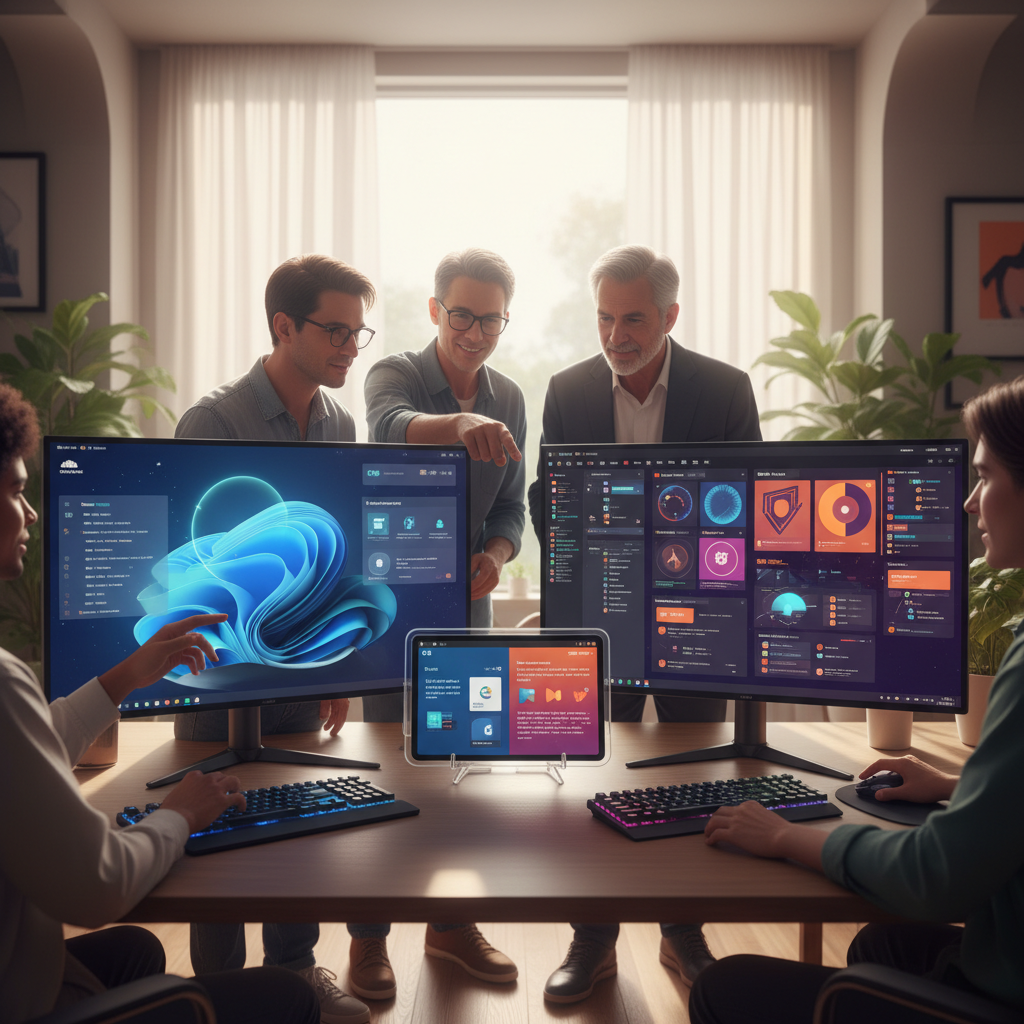
The user experience (UX) and interface (UI) are often the first points of contact for any operating system, profoundly influencing productivity and satisfaction. In 2026, both Windows and Linux have matured significantly, offering highly polished and functional desktop environments, though their philosophies and approaches diverge considerably. The evolution of design principles, coupled with increasing integration of AI and cloud services, defines the contemporary desktop experience for both.
Windows 11/12: AI Integration, Cloud-Native Features, and Fluent Design Evolution
Windows 11, and the projected advancements in Windows 12, represent Microsoft’s vision for a modern, AI-powered, and cloud-connected desktop. The Fluent Design system has continued to evolve, emphasizing translucency, rounded corners, and subtle animations, creating a visually cohesive and aesthetically pleasing environment. The central Start Menu and Taskbar have been refined for better usability, and snap layouts for window management are more intuitive than ever, significantly boosting multitasking efficiency. The overall design language aims for simplicity and elegance, reducing visual clutter.
A hallmark of the 2026 Windows experience is the deep integration of AI. Copilot is no longer just an assistant; it’s an ambient intelligence woven into the fabric of the OS. It assists with everything from summarizing documents and generating content in Word to optimizing system settings and troubleshooting issues. Cloud-native features are also paramount, with OneDrive seamlessly integrated for file storage and collaboration, and Microsoft 365 services feeling like an extension of the desktop. The Windows Store has matured, offering a wider array of applications, including Android apps, further enhancing the platform’s versatility. This tight integration sets a high bar in the discussion of windows vs linux for end-user convenience.
Linux Desktop Environments: Flexibility, Innovation, and Customization (GNOME 46+, KDE Plasma 6+, XFCE)
Linux, by contrast, offers a plethora of desktop environments, each with its unique philosophy and aesthetic. This diversity is a core strength, allowing users to tailor their experience precisely to their preferences. In 2026, GNOME 46+ continues its path of modern simplicity, offering a clean, uncluttered interface focused on workflow efficiency through activities, workspaces, and a powerful search function. Its design emphasizes a consistent user experience with minimal distractions, making it highly productive for many users. Wayland is now the default display server for most major distributions using GNOME, bringing improved security and smoother graphics.
KDE Plasma 6+, having already made significant strides in earlier iterations, now stands as an incredibly powerful and customizable desktop. Its modular design allows users to tweak nearly every aspect, from widgets and themes to panel layouts and animations. Plasma’s rich feature set, combined with its performance optimizations, makes it a favorite for power users who demand control. For those prioritizing lightweight performance and traditional interfaces, XFCE remains a popular choice, offering a fast and stable experience without sacrificing essential features. Other environments like Cinnamon, MATE, and Pantheon also provide excellent alternatives, showcasing the unparalleled flexibility of Linux when comparing windows vs linux in terms of personalization.
Ease of Use for Newcomers vs. Advanced Users
For newcomers, Windows traditionally holds an advantage due to its widespread familiarity and consistent user experience across devices. The onboarding process is streamlined, and most common tasks are intuitive. The integrated help features and vast online resources make troubleshooting relatively straightforward. However, the increasing complexity of Windows, with more settings, privacy controls, and AI features to manage, can sometimes overwhelm users who prefer a simpler approach. Microsoft’s push for a single account and cloud integration might also be a point of friction for those seeking more local control.
Linux distributions have made significant strides in ease of use for newcomers. Modern distributions like Ubuntu, Linux Mint, and Fedora offer installation processes that are often simpler than Windows, and their default desktop environments (GNOME, Cinnamon, KDE Plasma) are as user-friendly as any proprietary OS. The learning curve for basic tasks is minimal. For advanced users, however, Linux truly shines. The command line offers unparalleled power and efficiency, and the ability to customize every aspect of the system, from the kernel to the desktop environment, provides a level of control that Windows cannot match. This deep configurability is a major differentiator for advanced users weighing windows vs linux.
Accessibility Features Across Both Platforms in 2026
Both Windows and Linux have made substantial commitments to accessibility, recognizing the importance of inclusive design. Windows continues to excel in this area, offering a comprehensive suite of built-in tools. Narrator provides screen reading capabilities, Magnifier assists with visual impairments, and features like voice access (for hands-free control), live captions, and color filters cater to a wide range of needs. Microsoft’s investment in AI also extends to accessibility, with features that can describe images or provide real-time translation for diverse users. The integration with specialized hardware and assistive technologies is generally robust, benefiting from Microsoft’s long-standing industry presence.
Linux, while relying more on community and open-source contributions, also offers powerful accessibility features. Desktop environments like GNOME and KDE Plasma include screen readers (e.g., Orca), screen magnifiers, on-screen keyboards, and comprehensive keyboard navigation options. The open-source nature allows for greater customization and community-driven development of assistive technologies. While the out-of-the-box experience might sometimes require more initial configuration than Windows for highly specific needs, the flexibility of Linux means that dedicated communities often develop bespoke solutions. The commitment to open standards also ensures compatibility with a wide range of assistive devices, making the decision between windows vs linux less about inherent capability and more about ecosystem and specific needs.
Performance and Resource Management: How Windows vs Linux Stacks Up

Performance and efficient resource management are critical factors for any operating system, influencing everything from system responsiveness to battery life. In 2026, with increasingly powerful hardware and demanding applications, the underlying efficiency of an OS is more important than ever. This section benchmarks how Windows and Linux compare in their handling of system resources, multitasking, and specialized workloads.
System Resource Consumption: RAM, CPU, and Disk I/O Benchmarks in 2026
In 2026, both Windows and Linux have optimized their resource usage, but fundamental differences persist. Windows 11/12, while significantly more efficient than its predecessors, still typically has a higher baseline RAM and CPU footprint. Its extensive background services, integrated AI components (like Copilot constantly monitoring for prompts), and telemetry systems contribute to this. A fresh Windows installation might consume around 4-6GB of RAM at idle, and its CPU usage can spike with background updates or Defender scans. Disk I/O, especially with NVMe drives, is highly optimized, but its indexing services and constant background activity can still be noticeable.
Linux, on the other hand, generally boasts a much lower resource overhead. A minimal Linux installation with a lightweight desktop environment like XFCE or LXQt can idle at under 1GB of RAM, making it ideal for older hardware or virtual machines. Even full-featured desktops like GNOME 46+ or KDE Plasma 6+ typically consume 2-3GB of RAM at idle, offering significant savings compared to Windows. Linux’s kernel is highly optimized for various hardware configurations, and its modular design allows users to disable unnecessary services, further reducing resource drain. This efficiency often translates to snappier performance on equivalent hardware, a key consideration in the windows vs linux debate for performance-sensitive users.
Multitasking and Responsiveness Under Heavy Loads
When it comes to multitasking under heavy loads, both operating systems demonstrate robust capabilities, but with differing characteristics. Windows 11/12 leverages advanced scheduling algorithms and hardware acceleration to maintain responsiveness even when running multiple demanding applications simultaneously. Its Process Lasso-like features and focus on prioritizing foreground applications help ensure a smooth user experience. However, resource-intensive tasks, especially those involving significant disk activity or complex calculations, can sometimes lead to temporary slowdowns or UI stutter, particularly on systems with less RAM or slower storage.
Linux, with its highly efficient kernel and superior process management, often excels in maintaining responsiveness under extreme loads. Its memory management (including swap space utilization) is generally more aggressive and effective, preventing system freezes even when RAM is fully utilized. For tasks like compiling large codebases, rendering 3D models, or running multiple virtual machines, Linux often provides a more consistent and stable performance. The ability to fine-tune kernel parameters and process priorities gives advanced users granular control over system behavior, making Linux a preferred choice for workstations that regularly push hardware to its limits. This often makes Linux a stronger contender in the windows vs linux comparison for professionals requiring maximum system stability under stress.
Server Efficiency and Virtualization Performance
In server environments, Linux has long been the dominant force, and this trend continues in 2026. Its lightweight nature, robust security model, and unparalleled stability make it the go-to OS for web servers, databases, and enterprise applications. Linux distributions like AlmaLinux, Rocky Linux, and Ubuntu Server are highly optimized for headless operation, consuming minimal resources and offering exceptional uptime. Its strong support for containerization technologies like Docker and Kubernetes, often integrated directly into the kernel (e.g., cgroups, namespaces), provides superior performance and efficiency for modern cloud-native workloads.
Windows Server, while significantly improved, still carries a higher resource overhead compared to its Linux counterparts. However, it offers deep integration with Microsoft’s ecosystem, including Active Directory, Exchange Server, and SQL Server, making it indispensable for many enterprise environments. For virtualization, both platforms are highly capable. Windows Server with Hyper-V provides robust virtualization, especially for Windows guests. Linux, with KVM (Kernel-based Virtual Machine), offers bare-metal virtualization that often matches or exceeds Hyper-V’s performance, particularly for Linux guest VMs. The choice between windows vs linux in server and virtualization contexts often boils down to existing infrastructure, application requirements, and administrative expertise.
Power Management for Laptops and Mobile Devices
Power management is a critical consideration for laptops and other mobile devices, directly impacting battery life. Windows 11/12 has made significant strides in this area, with advanced power profiles, intelligent background process management, and optimizations for modern hardware (e.g., Intel’s Thread Director for hybrid CPUs). Features like “Eco Mode” and improvements in sleep states (Modern Standby) contribute to better battery longevity. Microsoft’s tight integration with hardware manufacturers ensures that power-saving features are well-tuned and functional out of the box, offering a consistent experience across a wide range of devices.
Linux’s power management has historically been a mixed bag, often requiring manual tweaking. However, in 2026, the situation has dramatically improved. The Linux kernel has received extensive power management optimizations, and tools like TLP and PowerTOP are now highly effective and often pre-installed or easily configurable. Modern desktop environments (GNOME, KDE Plasma) also integrate better power-saving features. While some specific hardware configurations (e.g., certain discrete GPUs or niche Wi-Fi cards) might still require more effort to optimize, many modern laptops now offer comparable or even superior battery life under Linux, especially with lighter desktop environments. This improvement makes Linux a much more viable option for mobile users, narrowing the gap in the windows vs linux power efficiency comparison.
Software Availability and Compatibility: Bridging the Gap Between Windows vs Linux
Software availability and compatibility remain one of the most significant factors influencing the choice between operating systems. While Windows has historically held a dominant position due to its vast proprietary software ecosystem, Linux has steadily grown its open-source alternatives and compatibility layers. In 2026, the landscape is more nuanced than ever, with cloud-native applications further complicating the traditional desktop software paradigm.
Proprietary Software: The Windows Advantage in 2026 (Adobe, Microsoft Office 365, Specialized Industry Tools)
Windows continues to be the undisputed leader for proprietary software, particularly in professional and creative industries. Adobe Creative Cloud suite (Photoshop, Illustrator, Premiere Pro, After Effects) remains exclusively available and fully optimized for Windows, making it indispensable for graphic designers, video editors, and digital artists. Microsoft Office 365, while having web and mobile versions, offers its most feature-rich and deeply integrated experience on Windows, crucial for businesses and individuals reliant on Word, Excel, PowerPoint, and Outlook.
Beyond these, numerous specialized industry-specific applications, such as CAD/CAM software (e.g., AutoCAD, SolidWorks), financial trading platforms, specific medical imaging software, and enterprise resource planning (ERP) systems, often have Windows as their primary or sole supported platform. These applications are frequently tied to specific hardware drivers or legacy APIs that are difficult or impossible to replicate on Linux. For users whose workflow is entirely dependent on such software, Windows remains the only practical choice, often making the windows vs linux debate a non-starter in these professional niches.
Open-Source Alternatives: A Thriving Ecosystem on Linux (LibreOffice, GIMP, Krita, Blender)
Linux boasts a vibrant and constantly evolving ecosystem of open-source software, providing powerful alternatives to many proprietary applications. For office productivity, LibreOffice (Writer, Calc, Impress) is a mature and highly capable suite that can handle most document formats, offering a free and open alternative to Microsoft Office. For image manipulation, GIMP (GNU Image Manipulation Program) provides advanced features comparable to Photoshop, while Krita excels as a digital painting and drawing application, favored by many artists. Blender stands out as a professional-grade 3D creation suite, covering modeling, sculpting, animation, rendering, and video editing, used widely in industries from film to game development, and it runs natively and exceptionally well on Linux.
The open-source philosophy extends to nearly every software category: web browsers (Firefox, Chrome/Chromium), email clients (Thunderbird), video players (VLC), audio editors (Audacity), and development tools (VS Code, IntelliJ IDEA). Many of these applications are cross-platform, meaning they run equally well on Windows, macOS, and Linux, but they often find their deepest roots and most active development within the Linux community. This rich collection of high-quality, free software significantly reduces the cost of entry and operation for Linux users, providing a compelling argument in the windows vs linux comparison for budget-conscious individuals and organizations.
Cross-Platform Applications and Web-Based Solutions
The rise of cross-platform frameworks (e.g., Electron, Flutter) and web-based applications has significantly leveled the playing field between Windows and Linux. Many popular modern applications, such as Slack, Discord, Spotify, Visual Studio Code, and Zoom, are built using technologies that allow them to run natively on both operating systems, offering an identical user experience. This trend means that for a growing number of everyday tools, the underlying OS becomes less relevant. This shift benefits Linux users particularly, as they gain access to a wider array of “native” applications without relying on compatibility layers.
Furthermore, cloud-native and Software-as-a-Service (SaaS) solutions have become ubiquitous in 2026. Applications like Google Workspace, Salesforce, Microsoft 365 (web versions), and various project management tools are accessed entirely through a web browser. As long as a modern browser (Firefox, Chrome, Edge) is available and functional on the OS, these applications work seamlessly, regardless of whether you’re on Windows or Linux. This paradigm shift reduces the dependency on OS-specific desktop software, allowing users to choose their OS based on other factors like performance, security, or privacy, rather than just application availability. This neutralizes a significant historical advantage of Windows in the windows vs linux debate.
Compatibility Layers and Virtualization: WSL3/4, Wine, Proton, and Cloud Desktops
For applications that don’t natively run on Linux, several powerful compatibility layers and virtualization technologies exist. Windows Subsystem for Linux (WSL), now in its 3rd or 4th iteration, has become an integral part of Windows. WSL3/4 offers near-native performance for Linux applications and command-line tools directly within Windows, complete with GPU acceleration and full system call compatibility. This allows developers to leverage Linux toolchains without leaving their Windows desktop, bridging the gap for hybrid workflows.
For running Windows applications on Linux, Wine (Wine Is Not an Emulator) continues to mature, allowing many Windows programs and games to run directly. While not perfect for all applications, its success rate has increased dramatically, especially with community-driven databases detailing compatibility. Proton, built on Wine and integrated into Steam Play, has revolutionized gaming on Linux, enabling thousands of Windows-only games to run with excellent performance. For full compatibility, virtualization solutions like VirtualBox, VMware Workstation, and GNOME Boxes allow users to run a complete Windows OS within a virtual machine on Linux. Finally, the advent of cloud desktops (e.g., Windows 365, AWS WorkSpaces) provides access to a full Windows environment streamed to any device, effectively bypassing local OS compatibility issues for specialized applications. These technologies significantly empower Linux users in the windows vs linux software comparison.
The Role of Cloud-Native and SaaS Applications in Modern Workflows
In 2026, cloud-native and SaaS applications are not just trends; they are the backbone of modern workflows for individuals and businesses alike. The shift away from monolithic, locally installed software to subscription-based, web-accessed services has fundamentally altered the significance of the underlying operating system. Most collaborative tools, CRM systems, project management platforms, and even advanced analytics dashboards are now browser-based. This means that the capabilities of the web browser itself often become more critical than the OS it runs on.
This paradigm benefits Linux significantly. As long as a modern, standards-compliant web browser is available (which it always is on Linux), users can access the same powerful cloud applications as their Windows counterparts. This reduces the pressure to choose an OS based solely on proprietary software availability and instead allows for decisions based on performance, security, and philosophical alignment. For businesses, this translates to greater flexibility in endpoint deployment, potentially reducing licensing costs and easing IT management. The widespread adoption of these solutions means that the traditional software availability advantage of Windows is increasingly confined to niche, high-performance, or legacy desktop applications, making the overall windows vs linux software debate more balanced.
Security and Privacy: A Critical Look at Operating System Defenses
In 2026, security and privacy are paramount concerns for both individual users and enterprises. The sophistication of cyber threats continues to escalate, and the debate over data collection practices has intensified. Operating systems play a foundational role in digital defense, and understanding their built-in features, vulnerability landscapes, and privacy policies is crucial when comparing windows vs linux.
Vulnerability Landscape and Threat Models in 2026
The vulnerability landscape in 2026 is complex for both Windows and Linux. Windows, due to its massive market share, remains the primary target for malware, ransomware, and phishing attacks. Its proprietary nature means that vulnerabilities are often discovered internally by Microsoft or by security researchers, then patched. However, the sheer volume of Windows installations makes it an attractive target for widespread attacks. The increasing integration of cloud services and AI into Windows also introduces new potential attack vectors that security researchers are constantly scrutinizing.
Linux, while generally considered more secure due to its smaller desktop market share and open-source nature, is not immune to vulnerabilities. Attacks often target server-side Linux installations, which power the vast majority of the internet. Rootkits, zero-day exploits, and supply chain attacks (e.g., malicious packages in repositories) are ongoing threats. However, the distributed nature of Linux development and the rapid patching cycle often mean that vulnerabilities are identified and addressed quickly. The threat models for windows vs linux differ significantly, with Windows facing broad, user-level attacks and Linux facing more targeted, infrastructure-level threats.
Built-in Security Features: Windows Defender ATP vs. Linux’s Multi-Layered Approach (SELinux, AppArmor)
Windows 11/12 comes with a robust suite of built-in security features, collectively known as Windows Defender Advanced Threat Protection (ATP) for enterprise users, and Windows Security for consumers. This includes real-time antivirus, firewall, exploit protection, application control (SmartScreen), and tamper protection. Microsoft’s cloud-backed threat intelligence provides rapid updates and proactive defense against emerging threats. Features like Secure Boot, Device Encryption, and Windows Hello (biometric authentication) provide strong hardware-level security. The OS is designed to be secure by default, with minimal user configuration required for basic protection.
Linux employs a multi-layered security approach, often relying on kernel-level enforcement and community vigilance. Key features include SELinux (Security-Enhanced Linux) and AppArmor, mandatory access control (MAC) systems that restrict what applications can do, even if they are compromised. These systems provide fine-grained control over processes, files, and network access, significantly hardening the OS. The Linux kernel’s modularity and open-source nature allow for constant scrutiny and rapid patching by a global community of developers. Furthermore, package management systems (APT, DNF, Pacman) provide cryptographic verification of software packages, ensuring their integrity. While requiring more technical understanding to fully leverage, Linux’s security architecture offers unparalleled control and transparency, making it a formidable contender in the windows vs linux security comparison.
Data Collection and Privacy Policies: A Growing Concern for Both Platforms
Data collection and privacy have become major points of contention for both operating systems. Microsoft’s Windows 11/12, with its deep integration of AI (Copilot), cloud services (OneDrive, Microsoft 365), and telemetry, collects a significant amount of user data. This data is used for improving services, personalizing experiences, and delivering targeted advertising. While users can adjust privacy settings, many default options lean towards data collection, and fully disabling all telemetry can be challenging. Microsoft’s privacy policy, while publicly available, is complex and requires careful reading to understand the full scope of data usage. This level of data harvesting is a primary concern for many users when evaluating windows vs linux.
Linux, being open-source, generally offers a more transparent and privacy-respecting environment. Most distributions collect minimal to no telemetry data by default, and if they do (e.g., for anonymous usage statistics), it’s typically optional and clearly communicated. Users have greater control over what data is shared, as they can inspect the source code and understand exactly what processes are running. However, it’s important to note that third-party applications installed on Linux can still collect data, and users must exercise caution in their software choices. The core Linux philosophy emphasizes user control and transparency, which directly translates to a stronger privacy posture for many users, positioning it favorably in the windows vs linux privacy debate. Wikipedia provides more details on Windows privacy concerns.
The Transparency and Community Auditing Benefits of Open-Source Security
One of Linux’s most significant security advantages lies in its open-source nature. The entire codebase, from the kernel to desktop environments and applications, is publicly available for anyone to inspect, audit, and contribute to. This transparency fosters a global community of developers, security researchers, and enthusiasts who constantly scrutinize the code for vulnerabilities. When a bug or security flaw is discovered, it can be quickly identified, reported, and patched, often within hours or days, due to the distributed and collaborative development model. This community auditing provides a level of scrutiny that proprietary systems cannot match.
This transparency also builds trust. Users and organizations can verify the security practices and ensure there are no hidden backdoors or malicious code. For critical infrastructure, government agencies, and organizations with stringent security requirements, the ability to audit the entire software stack is invaluable. While proprietary systems rely on vendor trust, Linux offers verifiable security through its open development model. This inherent characteristic is a powerful argument for Linux in any windows vs linux security comparison, especially for those prioritizing verifiable integrity.
Enterprise Security Management and Compliance
For enterprises, security management and compliance are complex undertakings. Windows, with its long history in corporate environments, offers mature and comprehensive tools for centralized security management. Group Policy, Active Directory, Microsoft Intune, and Microsoft Defender for Endpoint provide powerful capabilities for deploying security policies, managing updates, monitoring threats, and ensuring compliance across thousands of devices. Microsoft’s ecosystem is designed for large-scale enterprise deployments, offering extensive documentation, training, and professional support, simplifying compliance with various regulatory standards.
Linux, while historically requiring more specialized expertise for enterprise security, has made significant advancements. Tools like Ansible, Puppet, and Chef are widely used for configuration management and security policy enforcement across Linux fleets. Distributions like Red Hat Enterprise Linux (RHEL) and Ubuntu LTS provide long-term support, security patches, and enterprise-grade tools for compliance and auditing. While the ecosystem might be more fragmented than Windows, the flexibility of Linux allows organizations to build highly customized and secure environments tailored to their specific needs. Many organizations leverage Linux for critical infrastructure where security and uptime are paramount. The choice often depends on existing IT skill sets and infrastructure, making the windows vs linux decision a strategic one for enterprise security teams. For more on enterprise security, Forbes often covers enterprise security trends.
Cost and Licensing: Understanding the Financial Implications
The financial implications of choosing an operating system extend far beyond the initial purchase price. Licensing models, software ecosystem expenses, and ongoing support costs contribute to the Total Cost of Ownership (TCO). In 2026, understanding these costs is vital for individuals and businesses evaluating windows vs linux.
Initial Purchase and Licensing Costs (OEM, Retail, Enterprise)
For Windows, the initial purchase cost can vary significantly. Most users acquire Windows through an OEM license when buying a new PC, where the cost is bundled into the hardware price. Retail licenses, purchased separately, can range from $100-$200+ for a Home edition and more for Pro or Enterprise versions. For businesses, volume licensing agreements and subscriptions (e.g., Microsoft 365 Enterprise, Windows 365) offer more flexible but often higher long-term costs. While the initial “sticker shock” might not be evident with an OEM purchase, the underlying cost of Windows is substantial and contributes to the overall hardware price.
Linux, by contrast, is predominantly free and open-source. Most popular distributions (Ubuntu, Fedora, Mint, Debian) can be downloaded, installed, and used without any licensing fees. This zero-cost entry point is a major advantage for individuals and small businesses, significantly reducing initial capital expenditure. Even enterprise-grade distributions like Red Hat Enterprise Linux (RHEL) offer free options for developers and small deployments, with paid subscriptions primarily for professional support and advanced features. The fundamental difference in licensing models between windows vs linux is one of the most compelling arguments for many users.
Software Ecosystem Expenses: Subscriptions, Commercial Tools, and Support
Beyond the OS itself, the software ecosystem contributes significantly to overall costs. On Windows, many essential professional applications (Adobe Creative Cloud, Microsoft 365, specialized industry software) require ongoing subscriptions or one-time purchases, which can accumulate rapidly. These costs are often non-negotiable for users in specific industries. While there are free alternatives, they may not offer the same level of features, integration, or industry-standard compatibility. Furthermore, premium antivirus software, backup solutions, and other utility tools often come with their own annual fees, adding to the recurring expenses.
On Linux, the software ecosystem is largely dominated by open-source applications, which are typically free to use. LibreOffice, GIMP, Krita, Blender, and a vast array of development tools are available at no cost. This dramatically reduces ongoing software expenses. While commercial Linux applications do exist (e.g., some specialized professional tools, games), they are less prevalent than on Windows. The primary “cost” associated with Linux software is often the time invested in learning new tools or configuring them, rather than direct financial outlay. This stark difference in software ecosystem expenses is a critical factor when analyzing the long-term financial implications of windows vs linux.
Total Cost of Ownership (TCO) for Individuals and Businesses in 2026
Total Cost of Ownership (TCO) encompasses all direct and indirect costs associated with an operating system over its lifespan. For individuals, Windows TCO includes the OS license, proprietary software subscriptions, potential antivirus subscriptions, and potentially higher hardware requirements for optimal performance. Linux TCO is often lower due to free licensing and open-source software, but it might involve a higher “time cost” for learning and troubleshooting for less experienced users. However, for those comfortable with Linux, the financial savings are substantial.
For businesses, TCO is a complex calculation. Windows TCO includes licensing for the OS, Microsoft Office 365, server licenses, management tools (e.g., Intune), and potentially higher hardware costs. While IT staff might have extensive Windows expertise, the recurring software costs are significant. Linux TCO benefits from zero-cost OS licenses and free software. However, it might require specialized IT staff with Linux expertise, or investment in professional support subscriptions from vendors like Red Hat or Canonical. These support contracts can be costly but provide enterprise-grade SLAs and peace of mind. For certain workloads (e.g., web servers, cloud infrastructure), Linux typically offers a significantly lower TCO due to its efficiency and lack of licensing fees. The TCO calculation for windows vs linux is highly context-dependent and requires a thorough assessment of specific organizational needs and existing skill sets. Investopedia defines Total Cost of Ownership.
Community Support vs. Paid Professional Support Models
Support is a crucial aspect of TCO. Windows benefits from extensive professional support options from Microsoft, including enterprise support agreements, certified partners, and a vast network of IT professionals. This structured support is often a requirement for businesses needing guaranteed uptime and rapid issue resolution. For consumers, Microsoft provides online support, forums, and retail store assistance, though free support can be limited.
Linux primarily relies on its robust community support. Forums, wikis, mailing lists, and online communities (e.g., Stack Overflow, Reddit) offer an unparalleled wealth of information and assistance, often very quickly and effectively. For many individual users and small businesses, this free, community-driven support is more than adequate. However, for enterprises requiring guaranteed service level agreements (SLAs), professional support is available from vendors like Red Hat (for RHEL), Canonical (for Ubuntu), and SUSE. These paid support contracts provide direct access to expert engineers, ensuring critical issues are resolved promptly. The choice between free community support and paid professional support is a key differentiator in the windows vs linux equation, especially for business continuity. Semrush discusses the pros and cons of community vs. paid support.
Development and System Administration: Tools and Environments
For developers and system administrators, the choice of operating system profoundly impacts workflow efficiency, tool availability, and overall productivity. In 2026, both Windows and Linux offer powerful environments, but their strengths lie in different areas, reflecting their respective histories and design philosophies. The rise of containerization, automation, and cloud integration has further shaped the development and administration landscape for windows vs linux.
Developer Workflows and Integrated Development Environments (VS Code, IntelliJ IDEA, Eclipse)
Windows has long been a strong platform for development, especially for .NET, C#, and game development (Unity, Unreal Engine). Integrated Development Environments (IDEs) like Visual Studio (full IDE) and Visual Studio Code (VS Code) are highly optimized for Windows, offering seamless debugging, powerful extensions, and deep integration with Microsoft’s ecosystem. Other popular cross-platform IDEs like IntelliJ IDEA (for Java, Kotlin, Python, etc.) and Eclipse also run exceptionally well on Windows, providing a familiar environment for developers across various languages. The introduction of WSL3/4 has significantly enhanced Windows for developers, allowing them to run Linux-native tools and environments directly within Windows, bridging a crucial gap.
Linux is often considered the native environment for open-source development, web development, and cloud-native applications. Its powerful command-line tools, native support for scripting languages (Python, Ruby, Node.js), and robust package managers create an ideal ecosystem. VS Code, IntelliJ IDEA, and Eclipse all have excellent native Linux clients, often feeling snappier due to Linux’s lower resource overhead. Many developers prefer Linux for its flexibility, ability to mimic production server environments, and its strong support for open standards and technologies. The ease of setting up development stacks for LAMP, MEAN, or MERN is often cited as a key advantage, making Linux a preferred choice for many developers when considering windows vs linux.
Command-Line Power: PowerShell 7+ vs. Bash/Zsh and Advanced Shell Scripting
The command line is the heart of system administration and a powerful tool for developers. Windows has significantly advanced its command-line capabilities with PowerShell 7+. PowerShell is a powerful, object-oriented shell and scripting language that provides extensive control over Windows systems, cloud services (Azure), and even cross-platform environments. Its cmdlets are designed for system automation and management, making it indispensable for Windows administrators and DevOps engineers. Windows Terminal has also evolved into a highly customizable and efficient interface for PowerShell, Command Prompt, and WSL instances.
Linux’s command line, typically Bash or Zsh, is renowned for its power, flexibility, and efficiency. It’s the native environment for interacting with the Linux kernel, managing files, processes, and network services. Shell scripting using Bash, Python, or Perl is fundamental to Linux system administration and automation. The vast array of Unix-like utilities (grep, awk, sed, find, ssh, rsync) provides unparalleled capabilities for text processing, remote management, and system configuration. For complex automation, server management, and DevOps tasks, the Linux command line often offers a more direct and powerful approach. This fundamental difference in command-line philosophy and capabilities is a major factor in the windows vs linux comparison for sysadmins and power users. MDN Web Docs offers resources on web development topics that often leverage Linux command-line tools.
Containerization and Orchestration: Docker, Kubernetes, and Podman Integration
Containerization has become a cornerstone of modern software development and deployment, and both operating systems offer robust support. Windows supports Docker Desktop, which leverages Hyper-V virtualization to run Linux containers, and also natively supports Windows containers. With WSL3/4, Docker Desktop can run its daemon directly within WSL, offering improved performance and deeper integration with the Linux kernel, effectively providing a full Linux container experience on Windows. Kubernetes can also be run locally via tools like Minikube or Rancher Desktop on Windows.
Linux is the native environment for containerization. Docker, Podman, and Kubernetes run natively and efficiently on Linux, leveraging kernel features like cgroups and namespaces directly without the overhead of virtualization. This makes Linux the preferred platform for building, deploying, and orchestrating containers in production environments. Podman, a daemonless container engine, has gained significant traction for its security and ease of use on Linux. For developers working with microservices and cloud-native architectures, Linux often provides a more streamlined and performant experience. The inherent synergy between Linux and container technologies is a strong point in the windows vs linux debate for modern development and operations.
Automation, DevOps Practices, and Infrastructure as Code (IaC)
Automation and DevOps practices are critical for efficient software delivery and infrastructure management. Both Windows and Linux support a wide array of tools for these practices. On Windows, PowerShell is central to automation, often combined with Azure DevOps, GitHub Actions, and Jenkins. Tools like Ansible (with Windows modules), Puppet, and Chef can manage Windows servers, enabling Infrastructure as Code (IaC) principles. Microsoft’s cloud platform, Azure, provides extensive services for CI/CD and automation, tightly integrated with Windows environments.
Linux is the bedrock of most DevOps and IaC tools. Ansible, Puppet, Chef, Terraform, and Kubernetes are designed to run optimally on Linux, managing both Linux and cloud infrastructure. Shell scripting, Python, and other scripting languages are widely used for automation tasks. The vast majority of CI/CD pipelines (e.g., Jenkins, GitLab CI, GitHub Actions runners) operate on Linux. For organizations committed to a cloud-native, automated, and IaC-driven approach, Linux provides a highly flexible, powerful, and cost-effective foundation. This makes Linux a primary choice for modern DevOps teams when considering windows vs linux for their core infrastructure.
Server Management, Remote Administration, and Cloud Integration
Server management and remote administration capabilities are crucial for IT professionals. Windows Server offers robust remote management tools like Remote Desktop Protocol (RDP), Windows Admin Center, and PowerShell Remoting. Active Directory and Group Policy provide centralized control over user accounts, security, and system configurations across an entire domain. For cloud integration, Windows Server seamlessly integrates with Azure services, offering hybrid cloud solutions and centralized management.
Linux servers are primarily managed remotely via SSH (Secure Shell), providing a secure and powerful command-line interface. Tools like Cockpit offer web-based GUI management for many distributions. Configuration management tools (Ansible, Puppet, Chef) are essential for managing large fleets of Linux servers. For cloud integration, Linux is the dominant operating system in public clouds (AWS, Google Cloud, Azure itself), with extensive tooling and APIs for managing cloud instances. Its lightweight nature and robust security make it ideal for cloud infrastructure. The choice between windows vs linux for server management often depends on the existing server landscape and the preferred management methodologies.
Gaming Experience: The Evolving Landscape of Windows vs Linux for Gamers
Gaming has historically been a significant differentiator between Windows and Linux, with Windows holding a near-monopoly. However, in 2026, the gaming landscape has evolved dramatically, with significant advancements on the Linux front. While Windows remains the primary platform for many gamers, Linux is rapidly closing the gap, offering a compelling alternative for an increasing number of titles and users.
DirectX Dominance vs. Vulkan’s Rise and Performance Implications
DirectX, Microsoft’s proprietary API, has been the backbone of PC gaming for decades, tightly integrated with Windows. Most AAA game titles are developed with DirectX (versions 11, 12, and beyond) as their primary rendering API, ensuring optimal performance and feature utilization on Windows. This deep integration and optimization have historically given Windows an undeniable advantage in gaming performance and compatibility. New DirectX features, like advanced ray tracing and mesh shaders, are often first implemented and optimized on Windows hardware and drivers.
However, Vulkan, an open-standard, cross-platform graphics API, has seen a significant rise in adoption and importance in 2026. Designed for modern GPUs and multi-core CPUs, Vulkan offers lower overhead and more direct hardware control than older APIs, often leading to superior performance in optimized titles. Many new games are being developed with Vulkan alongside DirectX, and it is the foundation for compatibility layers like Proton. While DirectX still dominates the sheer number of games, Vulkan’s growing presence and performance benefits on Linux are reducing the dependency on Windows for cutting-edge gaming. This shift is a key factor in the evolving windows vs linux gaming comparison.
Proton and Steam Play: Closing the Compatibility Gap in Windows vs Linux Gaming
The most significant game-changer for Linux gaming has been Proton, a compatibility layer developed by Valve and integrated into Steam Play. In 2026, Proton (and its various community forks like GloriousEggroll) has reached an astonishing level of maturity and performance. It allows thousands of Windows-only games from the Steam library to run seamlessly on Linux, often with performance comparable to, or in some cases even exceeding, their native Windows counterparts. Proton handles DirectX to Vulkan translation, manages Windows libraries, and integrates with Linux drivers, making the process largely transparent to the user. This means that a vast majority of the Steam catalog is now playable on Linux.
Steam Play, powered by Proton, provides an almost “install and play” experience for many titles. The ProtonDB website, a community-driven database, tracks compatibility and performance for virtually every game on Steam, guiding users on which titles work best. This technology has effectively bypassed the traditional “no games on Linux” argument, turning Linux into a viable and often excellent gaming platform for a substantial portion of the PC gaming library. The success of Proton has radically altered the windows vs linux gaming debate, making Linux a serious contender for many gamers.
Native Linux Game Support and the Growing Indie Scene
While Proton handles many Windows games, native Linux game support has also steadily grown. Many indie game developers and smaller studios often release native Linux versions of their titles, recognizing the growing Linux gaming community. Platforms like GOG.com and Itch.io also offer a good selection of native Linux games. Furthermore, engines like Unity and Unreal Engine provide excellent Linux export options, making it easier for developers to target the platform directly.
The Steam Deck, Valve’s Linux-powered handheld gaming PC, has also played a crucial role in driving native Linux game development and compatibility efforts. Developers are increasingly ensuring their games run well on the Steam Deck, which directly benefits the broader Linux desktop gaming ecosystem. While the number of AAA native Linux titles remains smaller than on Windows, the combination of a thriving indie scene and the increasing ease of porting games means that native options are more plentiful than ever before, further strengthening Linux’s position in the windows vs linux gaming discussion.
Hardware Compatibility, Driver Optimization, and Ray Tracing Support
Hardware compatibility and driver optimization are critical for a smooth gaming experience. On Windows, graphics card drivers from NVIDIA, AMD, and Intel are highly optimized for gaming, offering cutting-edge features and performance. Ray tracing, DLSS (NVIDIA), and FSR (AMD) technologies are typically fully supported and optimized from day one on Windows, benefiting from close collaboration between hardware manufacturers and Microsoft. Setting up new gaming hardware on Windows is generally a plug-and-play experience, with drivers automatically installed or easily updated.
On Linux, graphics driver support has improved dramatically. AMD’s open-source drivers are generally excellent and often integrated directly into the kernel, providing strong performance and feature support, including ray tracing and FSR. NVIDIA’s proprietary drivers are also highly performant and stable on Linux, with good support for their advanced features, though they can sometimes be more complex to install and maintain. Intel’s integrated graphics drivers are also robust on Linux. While a few niche hardware components or very bleeding-edge features might take longer to arrive or require more manual setup on Linux, the overall driver situation for gaming is now largely on par with Windows for most modern hardware, making the windows vs linux hardware compatibility less of a barrier than it once was.
Anti-Cheat Solutions and Their Impact on Linux Gaming
One of the persistent challenges for Linux gaming, especially in competitive online multiplayer titles, has been anti-cheat solutions. Many popular anti-cheat systems (e.g., Easy Anti-Cheat, BattlEye) are designed with deep kernel-level integration specific to Windows, making them difficult to run on Linux through compatibility layers. This has historically prevented many multiplayer games from being playable on Linux, even if the game itself runs well with Proton.
However, in 2026, the situation has significantly improved. Developers of major anti-cheat solutions have increasingly added support for Proton and Linux, often driven by Valve’s efforts with the Steam Deck. Many games that previously blocked Linux users now allow them to play online. While some games still lack anti-cheat compatibility, the trend is overwhelmingly positive. Gamers who primarily play single-player titles or games with Linux-compatible anti-cheat solutions will find Linux to be an excellent platform. This ongoing improvement in anti-cheat support is crucial for Linux to fully compete in the windows vs linux gaming arena.
Hardware Compatibility and Driver Support: A Key Deciding Factor
Hardware compatibility and robust driver support are foundational to any operating system’s usability. An OS, no matter how powerful, is only as good as its ability to interact seamlessly with the underlying hardware. In 2026, while both Windows and Linux have made significant advancements, their approaches and strengths in this area still differ considerably, often serving as a key deciding factor for users.
Out-of-the-Box Support for Peripherals and Components on Windows
Windows has long been the gold standard for out-of-the-box hardware compatibility. When you plug in a new peripheral—be it a printer, webcam, external drive, or gaming controller—Windows typically recognizes it instantly, often installing the necessary drivers automatically from its extensive database or via Windows Update. This plug-and-play experience extends to internal components like graphics cards, network adapters, and sound cards, where generic drivers provide basic functionality until manufacturer-specific ones are installed. This seamless experience is a direct result of Microsoft’s close ties with hardware manufacturers and its dominant market share, which incentivizes companies to prioritize Windows driver development.
For the average user, this means less time spent troubleshooting and more time being productive. The vast majority of consumer hardware is guaranteed to work flawlessly on Windows from day one. This ease of use and broad compatibility is a significant advantage for Windows, especially for less tech-savvy users or those who frequently use a wide array of peripherals. It’s a major reason why many users find the windows vs linux choice straightforward when hardware compatibility is a primary concern.
Proprietary Hardware and Manufacturer Support for Linux
While Windows benefits from broad manufacturer support, Linux’s relationship with proprietary hardware has historically been more complex. Many hardware manufacturers, particularly for niche or high-end peripherals, prioritize developing drivers for Windows (and sometimes macOS) first, often due to market share and resource allocation. This can lead to situations where a brand-new printer, scanner, or specialized input device might not have official Linux drivers immediately available, or only community-developed drivers exist.
However, this situation has vastly improved in 2026. Major component manufacturers like AMD, Intel, and NVIDIA provide robust Linux drivers for their graphics cards, often directly integrated into the kernel for AMD and Intel. Many peripheral manufacturers now offer Linux drivers or ensure their devices adhere to open standards that allow for generic Linux kernel drivers to function. Despite these improvements, some specific proprietary devices, especially those requiring complex software interfaces or DRM, might still pose challenges, requiring users to research compatibility before purchasing new hardware. This is a crucial consideration for anyone evaluating windows vs linux for specific hardware needs.
Linux Kernel’s Broad Device Support Evolution and Community Contributions
The Linux kernel is a marvel of open-source collaboration, and its device support has grown exponentially over the years. In 2026, the kernel supports an astonishing array of hardware, from cutting-edge CPUs and GPUs to obscure legacy devices. Much of this support is driven by the community, with developers writing and maintaining drivers for a vast ecosystem of components. Many devices work “out of the box” on Linux because their drivers are already incorporated into the kernel, eliminating the need for separate installations.
This community-driven approach means that new hardware often gains Linux support rapidly, sometimes even before official Windows drivers are fully stable. The transparent nature of driver development also allows for quicker bug fixes and optimizations. Furthermore, Linux’s modularity allows users to compile custom kernels with precisely the drivers they need, providing unparalleled control and efficiency. For standard hardware, Linux’s kernel-level support is often excellent and highly stable, making it a strong contender in the windows vs linux compatibility discussion, especially for generic components.
Driver Management, Updates, and Troubleshooting
Driver management on Windows is largely automated through Windows Update, which delivers both critical OS updates and hardware driver updates. While this simplifies the process for most users, it can sometimes lead to issues if an update introduces a bug or conflicts with existing hardware. Users also have the option to manually download and install drivers from manufacturer websites, offering more control but requiring more effort. Troubleshooting driver issues on Windows often involves device manager, event logs, and online searches for specific error codes.
On Linux, driver management is typically handled by the distribution’s package manager. Kernel updates bring new and updated open-source drivers. For proprietary drivers (e.g., NVIDIA graphics), users often install them through a dedicated driver manager utility or by adding third-party repositories. This centralized approach often ensures consistency and reduces conflicts. However, troubleshooting can sometimes require more command-line interaction and a deeper understanding of the system, especially for obscure hardware or complex configurations. The Linux community, however, provides extensive resources and support for resolving such issues. The contrast in driver management approaches is a key point to consider when weighing windows vs linux for long-term hardware maintenance.
Conclusion: Making the Right Choice Between Windows vs Linux in 2026
The choice between Windows and Linux in 2026 is no longer a simple matter of market dominance versus niche appeal. Both operating systems have matured into highly capable, sophisticated platforms, each with distinct strengths and weaknesses. The decision ultimately hinges on individual priorities, specific use cases, and an honest assessment of one’s technical comfort level and budget. This comprehensive comparison has illuminated the evolving landscape, highlighting how advancements in AI, cloud computing, and open-source collaboration have reshaped the debate.
Recap of Key Differentiators and Use Cases
Windows excels in out-of-the-box hardware compatibility, undisputed leadership in proprietary professional software (Adobe, Microsoft Office, specialized industry tools), and a highly polished, AI-integrated user experience. Its robust enterprise management tools and extensive professional support make it a default for many businesses. Linux stands out for its flexibility, superior resource efficiency, unparalleled customization, and strong security posture rooted in open-source transparency. It boasts a thriving ecosystem of free, high-quality open-source software, a powerful command-line environment for developers and sysadmins, and a rapidly improving gaming experience thanks to Proton. The cost of entry for Linux is virtually zero, making it financially attractive.
The landscape of 2026 also sees a convergence, with WSL3/4 bridging the gap for developers on Windows, and cloud-native/SaaS applications reducing reliance on OS-specific desktop software for both. While Windows still commands a larger gaming library, Linux’s progress here is undeniable. Ultimately, the core differentiators lie in proprietary vs. open-source philosophy, ease of immediate use vs. depth of customization, and integrated ecosystem vs. modularity.
Who Should Choose Windows in 2026 and Why?
You should choose Windows in 2026 if:
- You rely heavily on proprietary software: If your workflow is inseparable from Adobe Creative Cloud, Microsoft Office 365 desktop apps, AutoCAD, SolidWorks, or other industry-specific Windows-only applications, Windows is still your best bet.
- You prioritize maximum hardware compatibility out-of-the-box: For guaranteed plug-and-play functionality with virtually all peripherals and components, and immediate access to the latest graphics drivers and features like ray tracing.
- You are a mainstream gamer: While Linux gaming has improved, Windows still offers the broadest compatibility with the entire back catalog of games, particularly those with complex anti-cheat systems.
- You prefer a highly integrated, AI-driven ecosystem: If you value deep integration with Microsoft’s cloud services (OneDrive, Microsoft 365) and AI assistants like Copilot that are woven into the OS.
- You are part of a Windows-centric enterprise: Businesses already invested in Active Directory, Group Policy, and Microsoft’s server infrastructure will find Windows a more seamless fit.
Who Should Choose Linux in 2026 and Why?
You should choose Linux in 2026 if:
- You prioritize cost savings: With zero licensing fees for the OS and a vast array of free open-source software, Linux offers significant financial advantages.
- You are a developer, system administrator, or IT professional: Its native support for containerization (Docker, Kubernetes), powerful command-line tools, scripting capabilities, and robust server ecosystem make it an ideal environment.
- You value security, privacy, and transparency: The open-source nature allows for community auditing, and most distributions collect minimal to no telemetry, offering greater control over your data.
- You desire unparalleled customization and control: Linux allows users to tailor every aspect of their system, from the desktop environment to the kernel, providing a truly personalized experience.
- You need superior performance on older or resource-constrained hardware: Linux’s efficiency and lower resource consumption can breathe new life into older machines or optimize performance on modern ones.
- You are a gamer willing to use Proton/Steam Play: For a rapidly growing library of playable Windows games and a thriving native indie scene, Linux is now a highly viable gaming platform.
The Future of Operating Systems: Convergence, Specialization, and Hybrid Approaches
Looking ahead, the future of operating systems in 2026 and beyond points towards convergence, greater specialization, and hybrid approaches. Windows will likely continue its deep integration with AI and cloud services, possibly evolving into a more service-oriented OS. Linux will maintain its open-source ethos, pushing boundaries in performance, security, and customization, particularly for server, cloud, and embedded systems. The lines between desktop and web applications will blur further, with more software delivered as SaaS or cross-platform solutions. Technologies like WSL will continue to mature, enabling developers to seamlessly leverage the strengths of both worlds, fostering hybrid workflows that combine the best of windows vs linux. Ultimately, the optimal choice will increasingly be a pragmatic one, tailored to the specific demands of the user or organization, rather than a one-size-fits-all solution.